Rolling out a family of DevOps skills across a tribe
· 4 min read · AI · Skills · MCP
I put together a set of skills that lets an AI agent handle routine development work: build a new version of an application, install it in a test environment, or help investigate an error in the logs.
The package is shared by several teams. They build different products on the same platform, so many of the operations are the same. Each team keeps its own projects and settings in a separate file.
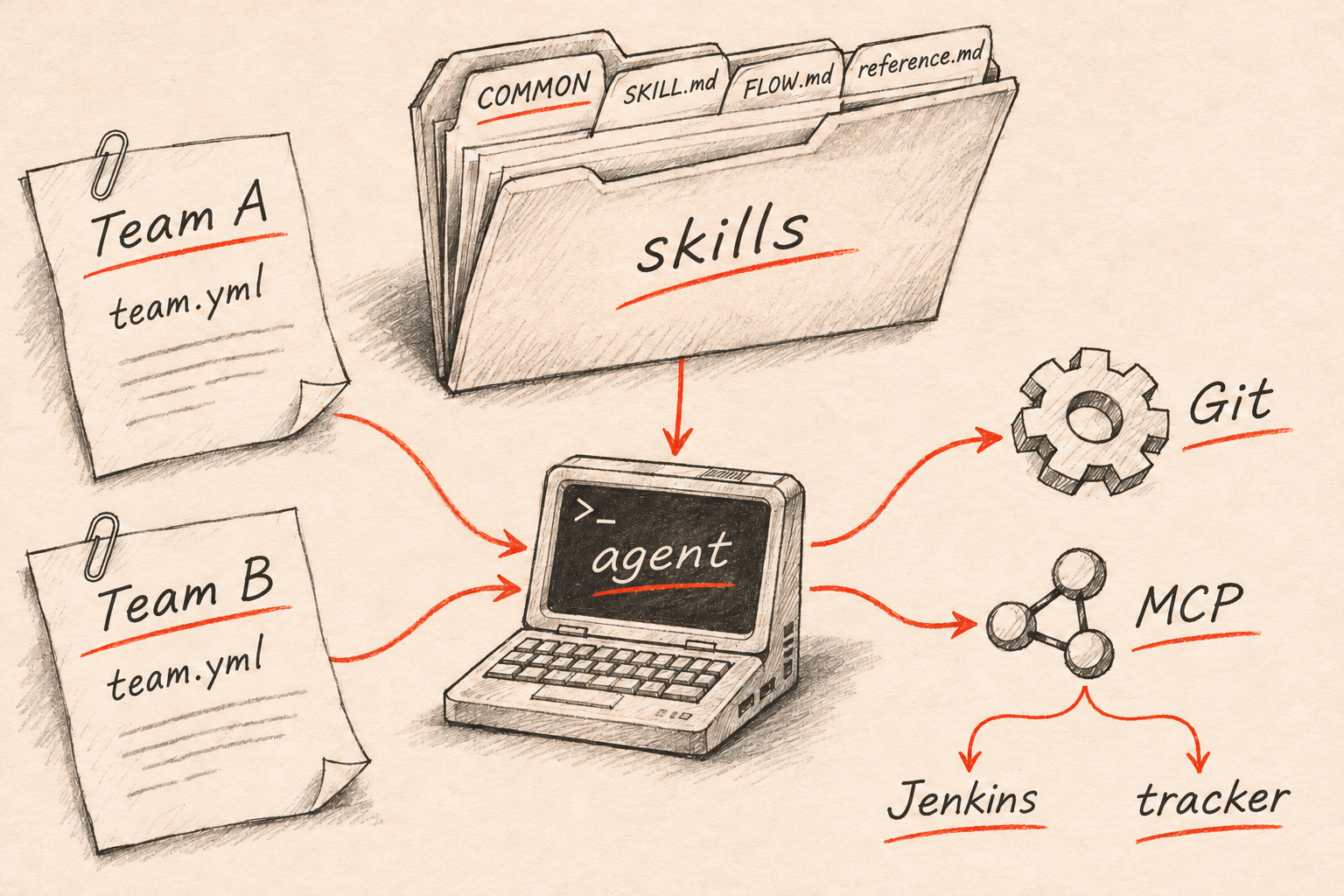
One package for different teams
I moved the Git conventions, change preparation and confirmation rules into a shared part of the package.
Team settings live in a YAML file: the team's profile. It lists repositories, main branches, areas in the issue tracker and build parameters. There is an example file to fill in when connecting a team.
The agent reads parameters from the profile. Each team's branches and Jenkins settings stay in that file.
Inside a skill
Each skill has the same structure:
skill/
├── SKILL.md
├── FLOW.md
└── reference.md
SKILL.md says when to use the skill, what input it needs and what it should produce. FLOW.md describes the steps. reference.md holds write-ups of cases encountered in previous runs.
For a release build, for example, FLOW.md describes Jenkins parameters, starting the job, checking its stages and obtaining a package ready to install. If the build fails, the agent investigates the error, including logs from nested jobs. Polling follows the service's rate limits.
Through MCP, the agent accesses Jenkins, the issue tracker and documentation. It works with files and Git locally.
Work continues after Jenkins
One workflow updates the application core, the shared part used by different product teams. First, take the versions from the release notes and check which data models belong in the build. Then prepare the parameters and start the job. The resulting container image goes into the deployment configuration.
After updating the core, resolved risks and issues can be recorded for that version. A skill takes the task context and adds an entry to the fix history, linked to the version. Existing entries are preserved.
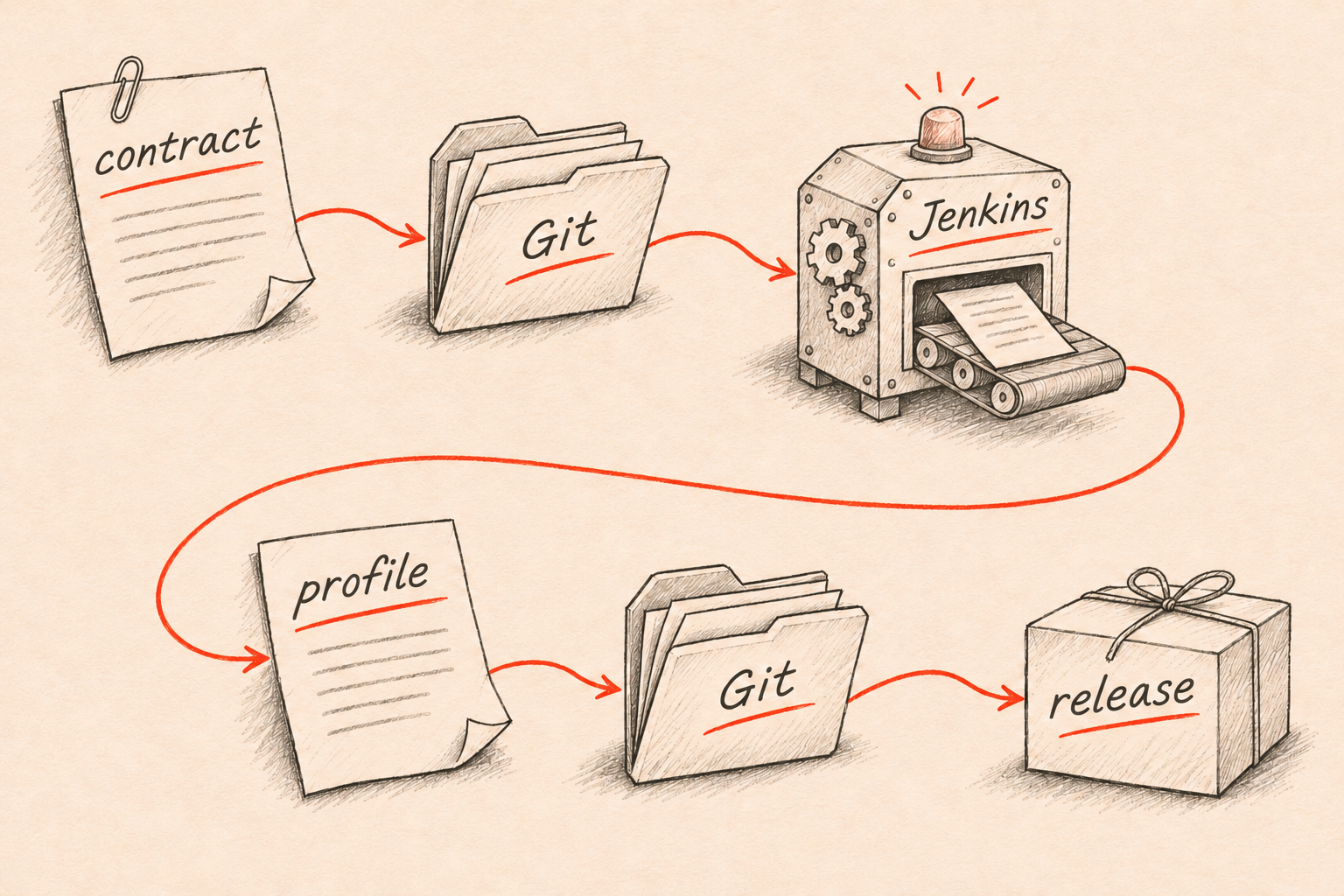
Another workflow deals with the integration gateway. The application uses it to communicate with external systems; the gateway checks that messages match the required schema. Each integration needs a configuration profile generated from its contract.
First, edit the integration contract and run the preflight check. Then commit and push the changes to the working branch. A job runs against that branch to generate the profile.
The resulting profile comes back into the repository as a second commit. The changes can then be merged and a release built.
Profile preparation and release builds are described in different skills. Shared steps for preparing changes are kept separately and reused across workflows.
Environment configuration has its own skill: Helm and YAML, switching modes and adding parameters. Installing a completed build in a test environment is handled by a separate skill too.
Where the agent needs confirmation
The agent asks for confirmation before every shared job run, commit and push. Several teams use these jobs. It reports the current stage as it works.
Working with logs
To investigate an error, the agent requests logs for a given period or request ID. It retrieves application logs from Kubernetes and assembles and unpacks the gateway's multipart archives.
In the gateway logs, we follow the request path:
client → gateway → external system → gateway → clientWe need to correlate the incoming request, the outbound call, the external system's response and the response to the client. These events help identify where the flow stopped.
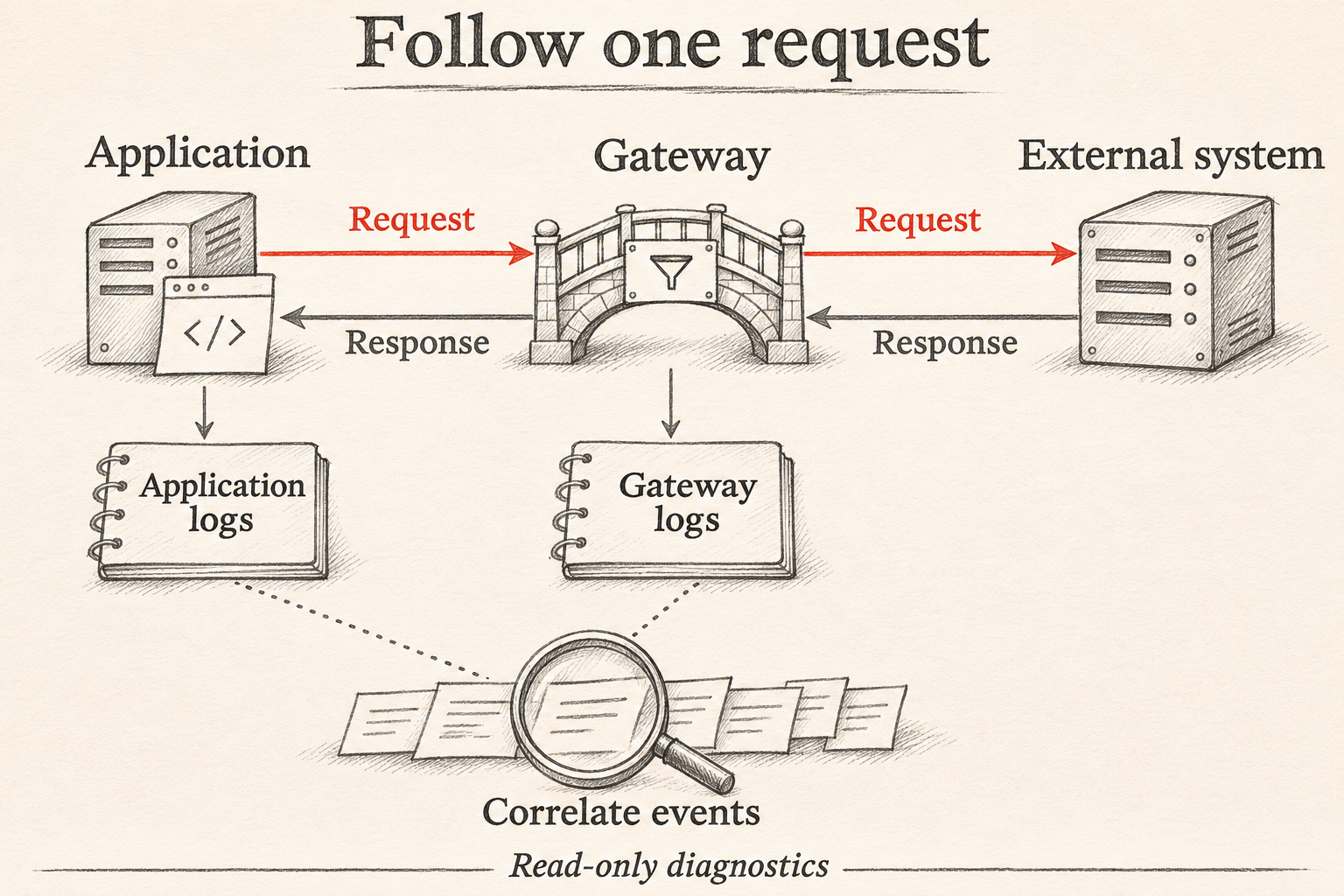
Diagnostics are read-only. The skills describe different ways to retrieve and analyse logs for the application and the gateway.
Connecting other teams
I shared the package with developers from different teams. Connecting a team means filling in its YAML profile and checking its MCP connections to the working services. The shared skills stay the same.
I also use the package in spec-driven development. I cover the shared hub, OpenSpec and the team's move to SDD in a separate article.