Deploying a chatbot with Langflow
· 3 min read · AI · Langflow · LiteLLM
In early 2025, there was an AI agent contest at work. I decided to take part and started looking for something to build my agent with. That was how I came across Langflow.
The idea was to offer an alternative to a customer who wanted to cancel a contract. The agent was supposed to find suitable contract changes using historical data through RAG, then validate them by sending a request to the insurance company. The suitable options would then be offered to the customer.
I put together a prototype in Langflow, presented it at the contest and took third place. By then I was hooked and kept digging into it.
I decided to build a chatbot for hermesproject too. We already had services with market data, signal history and statistics. I wanted people to be able to ask about all of that right in the app.
Connecting to the project's data
The frontend sends messages to a Java service, which calls Langflow and returns the response. Model requests go through LiteLLM, while the agent gets data from our APIs through tools.
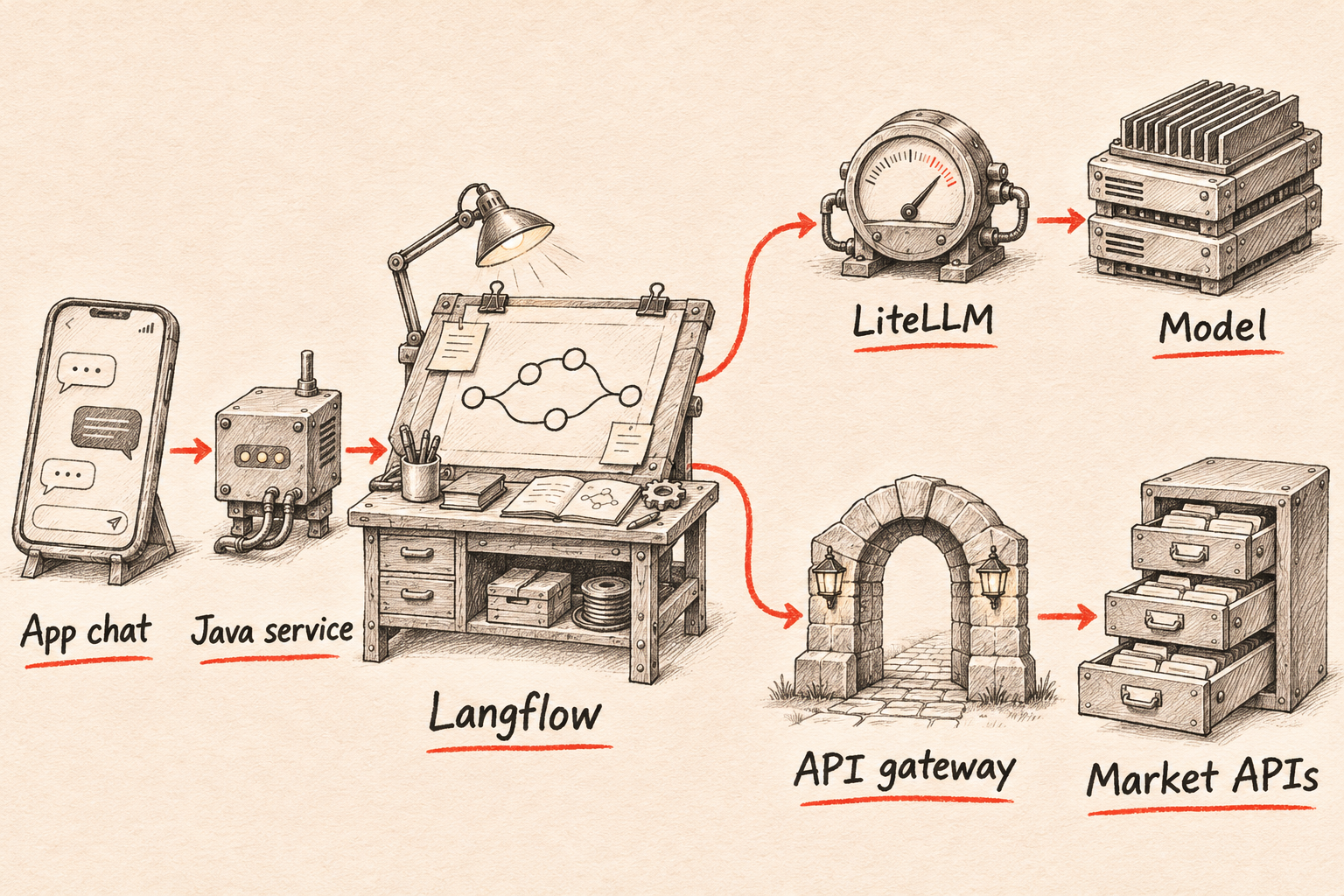
Langflow and LiteLLM run in Kubernetes, along with the rest of the cluster's workloads. The configuration is in Helm charts, and ArgoCD handles deployment. I covered that process in the CI/CD article. The exported flow is also stored in Git, and keys are passed through Kubernetes Secrets. Luckily, the cluster was hosted outside Russia. Otherwise, I would have needed another proxy to reach Claude or OpenAI, for example.
The agent has custom tools for prices, candles, a coin's history and other data.
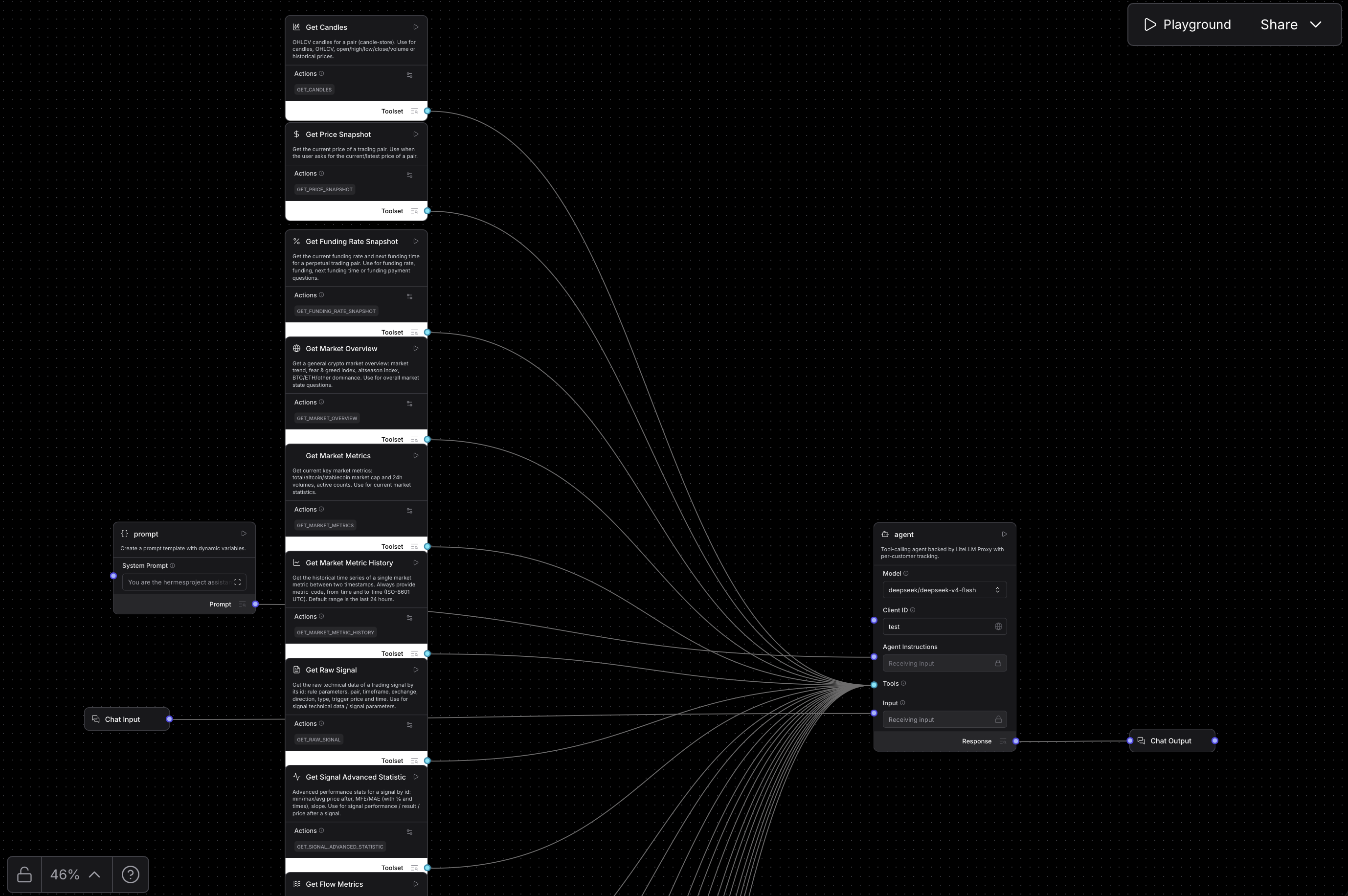
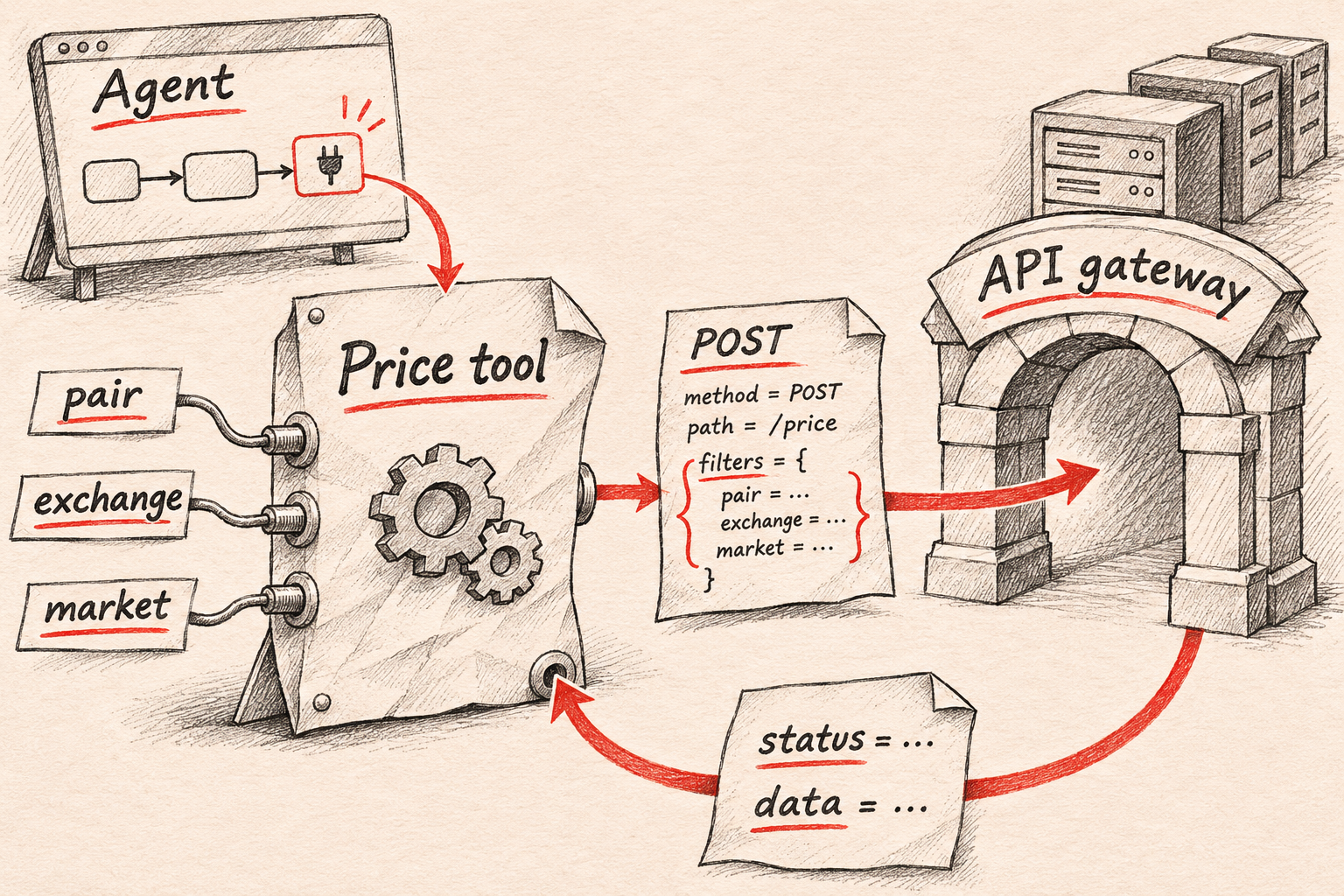
Our APIs are in different services within the cluster and use different request formats. Some take parameters in the query string, others in JSON with filters and metadata. Setting up the tools meant accounting for those differences and giving them access to the APIs through an internal gateway.
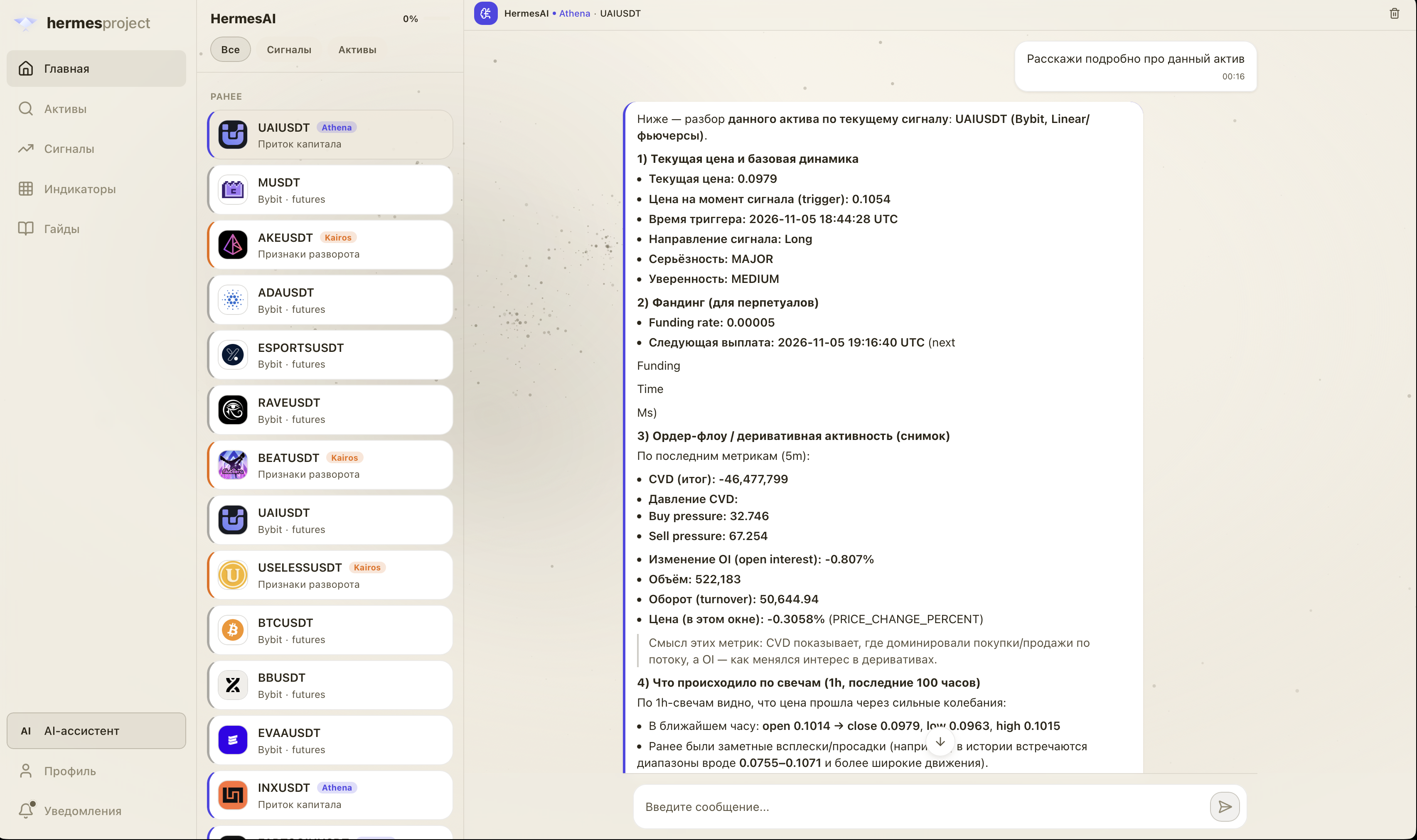
When the chat opens from an asset card, its context is sent to Langflow along with the question: a signal ID or the pair, exchange and market type. These values go into the prompt through tweaks. The agent uses them to choose a tool and fill in the request parameters. The user does not have to specify the asset again with every question.
A budget for conversations with the bot
Every model request includes a user field with the app user's ID. LiteLLM uses it to track spending separately for each user.
Each user has a budget. The Java service gets spending data from LiteLLM, calculates the remaining balance and returns it to the frontend. The balance is visible right in the chat.
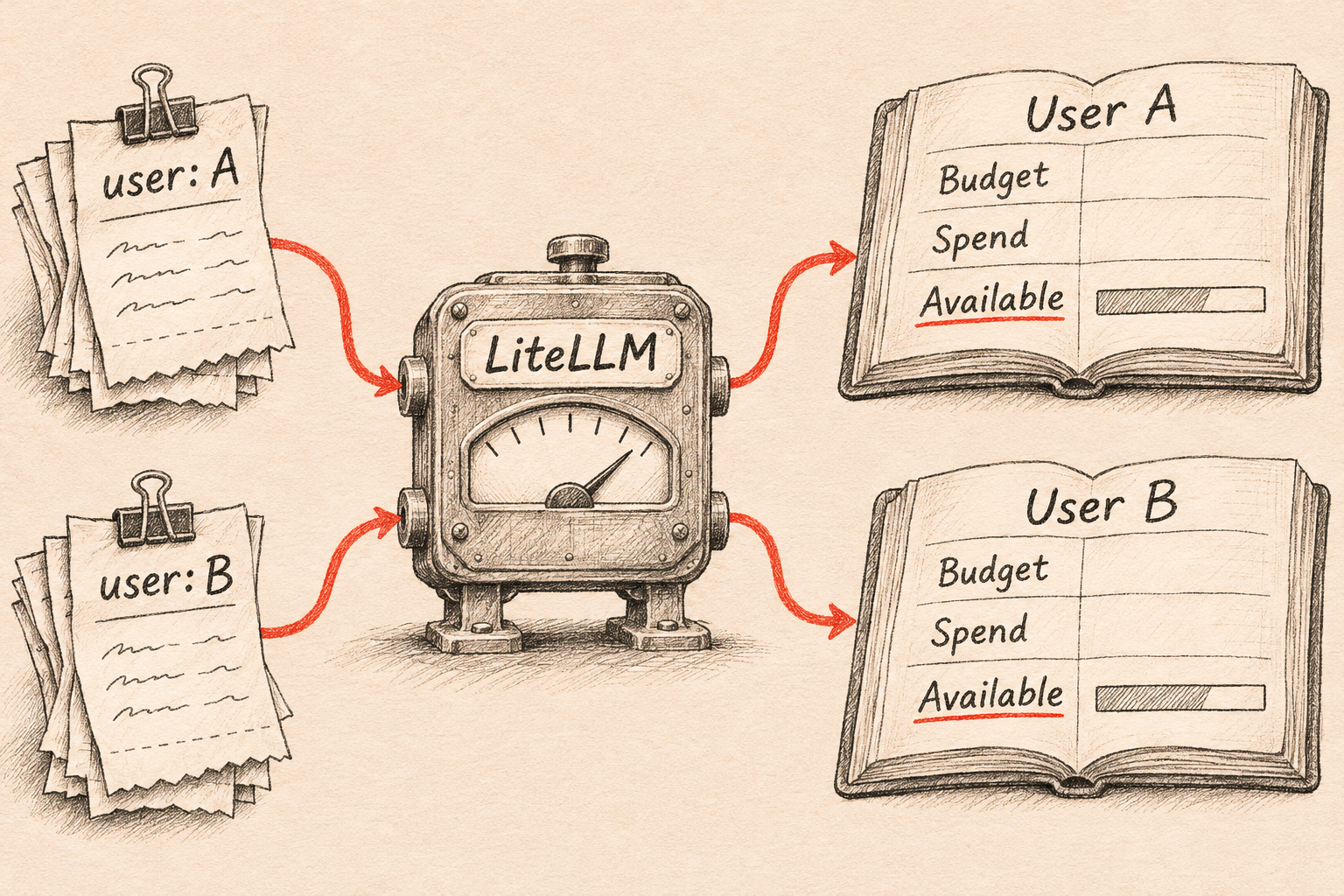
One question can take several model calls, especially when tools are involved. That is why both the response length and the number of agent steps are limited.
And you can keep tweaking this, updating it and trying new variations. Low-code turned out to be very convenient for that.